



 Sales:
 Support:
 Contact Us
 Staff & Client Login

 Get A Quote
Data Centre Security Best Practices
A single data hall can hold information and hardware worth more than the building it’s sitting in. And the disruption that comes with someone reaching it when they don’t have permission can have long-term consequences when it comes to data protection and privacy, not just hardware damage or theft.
Data centre security best practices have to cover the physical security measures just as much as they cover network security. These measures include fencing, doors, personnel vetting, CCTV monitoring and even fire suppression.
That’s a lot to consider if you’re expecting it to fall on a couple of internal security guards.
What Physical Security Covers At A Data Centre
Physical security is anything that stops a person getting to your hardware, from the perimeter fence to the racks in the server room. Even though it’s often seen as secondary to cyber security – network attacks are still by far the biggest risk for data centre security – physical security plays an important role.
Everything from your site boundary, building entrances, data halls and all the people who move through each area (both employed and visitors) needs to be carefully managed and monitored.
Then you have to consider any response to an incident, how it’ll be escalated and who’s ultimately responsible for it.
Where Physical Security & Cyber Security Work Together
This idea that cyber and physical security are separate measures has started to be challenged across the industry. In the UK and around the world data centres are springing up to handle the mass increase in data use – only expected to speed up with the use of AI – and these buildings are no longer the discreet hubs they used to be.
The building of data centres has become a contentious planning issue. And with that comes the publicity of where they’re located that criminals can use to plan attacks.
Ben Figueroa, global commercial sales director at SEM, is one of those who’ve argued that physical data centre security is “not a mere addendum to cybersecurity” and should be given equal treatment.
So physical security and cyber threats need to be managed together.
Start At Your Site Boundary
The boundary around your data centre is the first security barrier anyone comes up against. Its job ultimately is to deter any intrusion (by making you a harder target) or to delay any attacks so you have time to respond.
Physical barriers can be paired well with CCTV – including more modern AI-powered systems – which are remotely monitored by expert security personnel to alert guards to an incident, or to escalate severe incidents to the emergency services where needed.
This doesn’t have to be a security incident; physical security at a data centre also takes into account natural disasters like floods or fires, which can give time to safeguard critical data and infrastructure.
Fencing, Signage & Vehicle Barriers
Security fencing rated to LPS 1175 provides protection to a level many insurers and auditors will ask for. Something as simple as clear signage removes the ability for someone to claim “they didn’t know” they’d trespassed and can prevent opportunistic incidents from occurring.
Where a vehicle attack is a risk, PAS 68 barriers or bollards can protect entry points without permanent walls.
CCTV Installation & Monitoring
Camera installation can be both a deterrent and detection measure.
For many criminals (mostly opportunistic) the presence of CCTV makes any action not worth the risk if they’ll be caught on camera.
For those criminals who aren’t deterred by a camera, it at least gives you the detection ability to respond to an incident quickly – including escalating to the police – and provides the evidentiary footage you may need to help with any investigation.
Perimeter security cameras should follow your boundary rather than the building, making sure fields of view overlap to remove accidental blind spots.
Our ProEyez AI-powered intruder detection adds a different element to your CCTV. Where many cameras can alert to non-relevant activity (like cars on a nearby road, or animal activity passing across the camera’s field of view) our systems can distinguish between a person and other activity.
This means your operatives (or our team) only get alerted to a genuine incident, meaning they’re more likely to take it seriously rather than “the camera’s picked up another dog”.
Control Who Can Get Through Your Door
The biggest problem with access control systems in data centres is managing credentials. Physical credentials (fobs, keycards) can be lost, duplicated and stolen.
Managing access control solely like this requires highly trained security guards who manage the people trying to get into your data centre, not just the credentials being used.
Make Sure Credentials Aren’t Shared
Scott Walters, former director of security at INetU makes the point that access control systems act as “the primary keys to the castle” and should only use methods people can’t pass on. He suggested the answer was multi-factor authentication pairing cards with a biometric element.
The reasoning being that a card only tells your access control systems that a credential was used. It doesn’t necessarily tell you who was holding it when it was used.
We’d recommend biometric pairing on every door leading into a data hall as a minimum. Card only entry can be reserved for lower-risk areas like offices.
Reception, Gatehouse & Visitor Management
A staffed reception or gatehouse relies on the judgement of the guards you have positioned there.
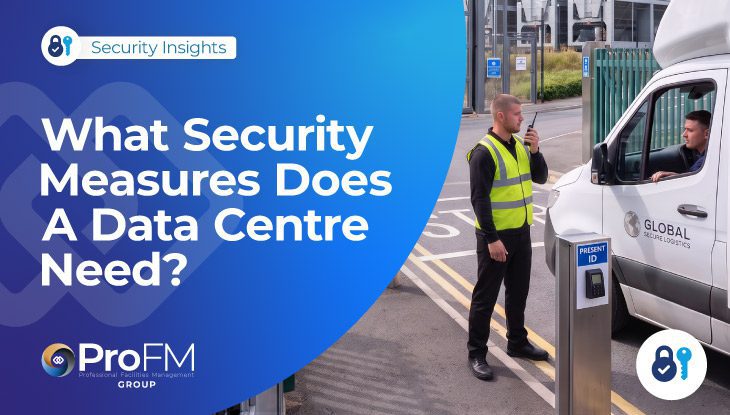
Officers need to be confident enough to question drivers who show up with no paperwork or a contractor whose vehicle doesn’t match what was booked in. Social engineering is one of the primary concerns in cyber security when it comes to data centres. It should also be a consideration for physical security too.
Your visitor management should be booked in advance, with visitors verified when they arrive against photo ID.
Your security guarding could also include an escort around your data centre (we’d recommend it) so you have full visibility of who is where and what they’re doing.
Protect Your Data Halls & Sensitive Areas
Getting into your building shouldn’t mean someone now has access to every area.
Entry points shouldn’t share credentials (a pass for a welfare area shouldn’t also open a door to a server room).
This is something that’s easy to get wrong and it shouldn’t be assumed that once someone has passed the front door, they have authority to go everywhere, when really they’ve only got through one layer of your security.
Layering Access Inside Your Building
Many of the physical security measures you can install in a data centre can also create a lot of problems with people’s day to day work. Airlocks and mantraps, for example, are highly effective but staff tend to think of them as intrusive and something that gets in the way of their day.
This is the challenge of physical security in data centres. Putting up the barriers and protection you need without overly impacting the work of the people who have the right to be there.
One option is to zone your building so plant rooms, offices, halls and the main network rooms have different levels of authorisation.
This requires careful planning (which an expert data centre security provider can help with) but limits how far a limited credential can go without impacting everyone.
We’d suggest access privileges are based on the principle of least privilege. So people have the minimum rights of access that their role requires.
Racks, Cages & Meet Me Rooms
In colocation data centres, cages and racks are what separate one customer data set from another. At this level of security you’ll likely need an audit log to see who’s accessed what as a minimum. In many cases they’re likely to be required as a contractual obligation.
Your Meet Me Room (MMR) should have the tightest controls. In most data centres, this is the highest-value area because it’s where different telecommunication carriers, network service providers and cloud companies physically connect their equipment and exchange data.
Getting Your People Processes Right
When something fails in physical data centre security, it’s usually not the hardware; it’s usually a people issue. No one beats biometric access control, but the person with the access gets caught out holding the door for someone following close behind them.
James Smith, sales and marketing director at Reliance High-Tech has previously argued that physical security and people processes are treated “with the same level of rigour as the data held inside data centres”.
Are Your Security Officers Properly Vetted?
BS7858 is the British Standard for security screening, covering employment history, identity, financial checks and references. Every officer deployed at your data centre should be screened to this standard before any shift. If they’re coming from a security company ask to see records of proof.
Security guards should also hold a valid SIA licence and if the contract involves Government and defence data, you’ll need to check for SC clearance.
Escorting Contractors & Revoking Access
Contractors should be escorted around any area in your data centre where live equipment is located. We’d also recommend the escort is logged on an official record so it’s clear who’s responsible for guests or visitors.
Taking away access is something we think needs to be better managed in most facilities, not just data centres.
If someone leaves or changes role it’s not uncommon that their credentials remain active long after they should. That creates a problem when they’re less security conscious about where they’re leaving old credentials or cards.
We’d strongly advise running a quarterly access review against your HR records and movers list. Any credential that’s been unused for 90 days (at the longest) should be flagged and considered for removal.
Training Your Team On Site-Specific Procedures
Generic security training doesn’t cover the specific requirements you need at a data centre. Officers need to know your escalation routes, hall layouts, alarm zones and who they’re allowed to challenge.
Round The Clock Monitoring & Alarm Response
CCTV monitoring from a staffed operations centre gives you eyes on your site outside of regular working hours and ensures responses to incidents remain quick even when on-site personnel might be minimal. At ProFM, that’s handled by our National Operations Centre.
Alarm response should be answered by an officer who’s experienced enough to assess a live situation and either sort the response themselves or be able to escalate it through the right procedure, including to the emergency services.
This can include key holding responsibilities so licensed responders don’t need a member of staff to attend with them.
Robust Data Centre Physical Security From ProFM Group
The important consideration in all this is that no one security measure will work on its own. A camera that’s not monitored will record an incident, but has no means of doing anything about it. And a mobile security guard can’t monitor every inch of your data centre at once in the same way a camera can. That’s why we argue for one accountable provider across every layer of your data centre security. When your officers, perimeter security, CCTV installation, monitoring and response sit with one licensed provider you’re assured a professional security response.
That’s where ProFM Group excel. Our officers are screened to BS7858 and licensed by the SIA.We hold NSI Gold certifications for CCTV and Paxton Gold for access control and intrusion detection systems. You can see our full list of accreditations.
All our security services start with a conversation. So give our experts a call on or email to tell us more about what you need from a security provider for your data centre
Related Blogs
 Data Centres
 Data Centres


John
Group Chief Executive Officer
John has a proven track record for motivating and leading high performance teams and has helped mentor and develop many people at ProFM Group who now hold key or senior positions within the business. John is committed to delivering only the finest services, exercising compelling leadership, maintaining good internal morale and striving to resolve any challenges efficiently and effectively.